Funnel Builder Free Trial: A 7-Day Test Before You Pay
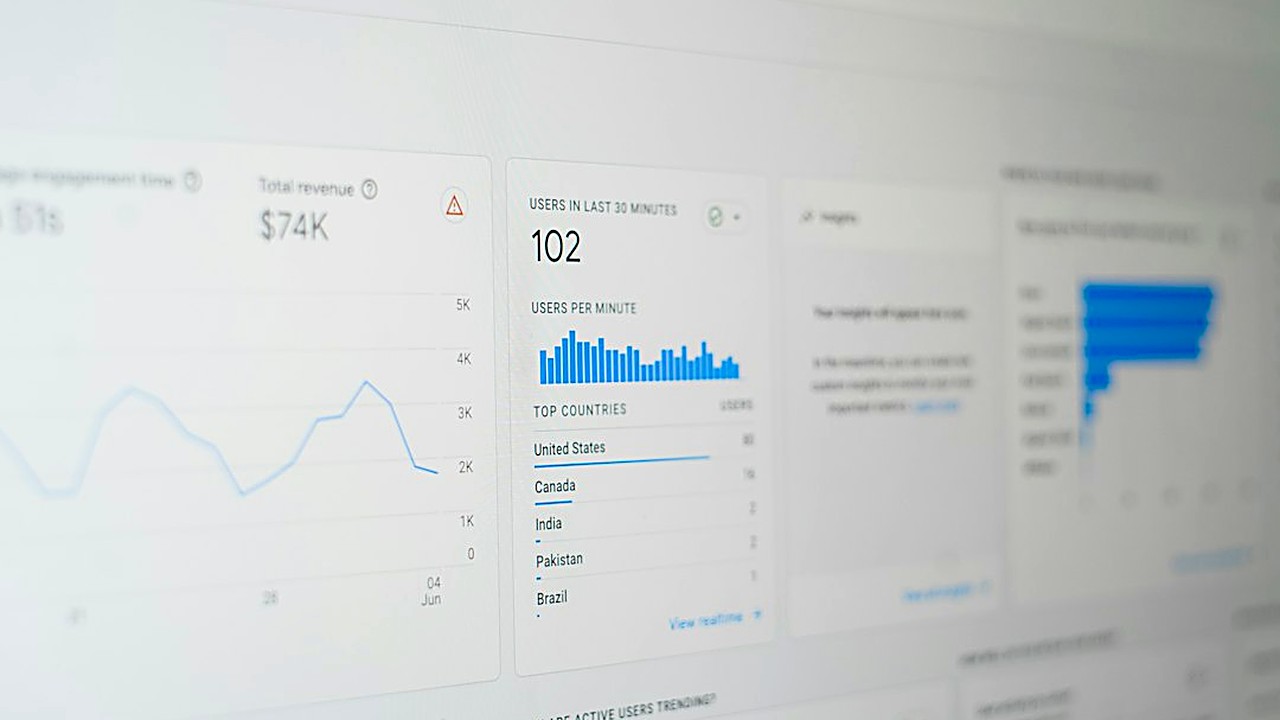
Quick answer: Use the free trial to build one small, real funnel: a landing page, a thank-you page and a follow-up email. Then test it on your phone, check speed, run a test purchase and try to cancel. If the tool passes those checks in 7 days, it is worth paying for.↗ Share on X
The best way to test your first funnel builder is to build one small, real funnel during the free trial, not to click around the templates. In 7 days you should be able to make a landing page, a thank-you page, connect one email, run a test sale, check how fast it loads on your phone, and find out exactly how to cancel. If the tool makes those steps easy, buy it. If you get stuck on day 2, you just saved yourself months of paying for the wrong tool.
First, a quick definition. A sales funnel is the path a visitor takes from "just found you" to "bought something." A funnel builder is software that lets you make those pages (landing page, order form, thank-you page) and connect them, without writing code.
What should you prepare before starting the trial?
 A/B Testing Your Funnel: What to Test First and How Long →
 Pick a Funnel Builder That Fits Your Payment Gateway →
 Build a Sales Funnel for Free Using Only Free Tools →
Most trials are short, often 7 to 14 days, and some ask for a card up front. Don't start the clock until you are ready. Spend 30 minutes getting these things together first:
1. One simple offer. For example, a free checklist in exchange for an email, or a small product you already sell.
2. Your text. A headline, 3 to 5 bullet points about the benefit, and a button text like "Send me the checklist."
3. One image. A photo of you, your product, or a simple mockup.
4. Your email tool login, if you already use one.
5. A calendar reminder for one day before the trial ends. Set it the moment you sign up.
Having your content ready means you test the tool, not your writing skills.
Smart software picks in your inbox
The 7-day test plan
Follow one task per day. Each takes about 30 to 60 minutes.
| Day | Task | What you are really testing |
|---|---|---|
| 1 | Build the landing page from a template | Is the editor easy for you? |
| 2 | Build the thank-you page and link the two | Can you connect pages without help? |
| 3 | Connect email and set up one follow-up message | Does it work with the tools you have? |
| 4 | Check the pages on your phone and test speed | Will real visitors stay or leave? |
| 5 | Add a payment or order form and run a test sale | Can you actually get paid? |
| 6 | Look at the stats and send a little traffic | Does it show you useful numbers? |
| 7 | Ask support a question and find the cancel button | Will they help you, and can you leave? |
Day 1: Can you build a landing page in under an hour?
Pick a template close to what you need. Replace the headline, bullets, image and button text with your own.
Pass if:
- You finished a clean page in about an hour without watching long tutorials.
- You could move, delete and add sections without the layout breaking.
Fail if you spent most of the time fighting with spacing, fonts or blocks that jump around.
Day 2: Can you connect two pages into a real funnel?
Make a simple thank-you page that says "Check your inbox" and link it so it appears after someone fills in the form.
Pass if the form sends people to the right page every time. Test it yourself three times with different email addresses.
Day 3: Does it work with your email tool?
Either connect your existing email service or use the builder's own email feature. Set up one automatic message that goes out right after someone signs up.
Pass if:
- The new contact shows up in your email list within a few minutes.
- You received the follow-up email, and it didn't land in spam.
If the builder needs an extra paid add-on or a third-party connector just to send your email list a new contact, write that cost down.
Day 4: Is it fast and does it look right on a phone?
Most visitors will come from a phone. Open your landing page on your own phone, using mobile data, not Wi-Fi.
Check:
1. Does the page show up in about 3 seconds or less?
2. Is the text big enough to read without zooming?
3. Is the button easy to tap with a thumb?
4. Does anything spill off the side of the screen?
You can also paste your page link into a free speed test tool like Google PageSpeed Insights. Don't chase a perfect score. Just watch for a page that is clearly slow or heavy.
Day 5: Can you actually take a payment?
If you plan to sell, this is the most important day. Connect your payment account (many builders support Stripe or PayPal) and run a test purchase. Most payment tools have a "test mode" for exactly this.
Pass if:
- The order form loads fast and looks trustworthy.
- The test payment goes through.
- The buyer gets a receipt and lands on the right page.
- You can see the order in your dashboard.
Also check the fine print: does the builder take an extra fee per sale on cheaper plans? Some do. That can cost more than the monthly price over time.
Day 6: Can you see what's working?
Share your page with 5 to 10 friends, or post it once on social media. Then look at the dashboard.
Pass if you can easily see:
- How many people visited
- How many signed up or bought
- The conversion rate (the share of visitors who took action)
If you need to set up a separate tool just to see basic numbers, note that as extra work.
Day 7: Does support help, and can you cancel?
Send support one real question, like "How do I connect my own domain?" Time how long it takes to get a useful answer.
Then find the cancel or downgrade option in your account settings. Don't click it yet, just find it. If you can't find it in 5 minutes, that is a warning sign.
How do you compare two builders fairly?
 Funnel Builder and Payment Gateway: 7 Checks Before You Pay →
 Funnel Builder for Your Current Site: 6 Checks Before Paying →
 Connect a Landing Page to Your Email List in 7 Steps →
If you're testing two tools, run the same 7-day plan on both, with the same offer and the same text. Then score each one from 1 to 5:
| What to score | Builder A | Builder B |
|---|---|---|
| Ease of building pages | ||
| Connecting pages and forms | ||
| Email connection | ||
| Speed and look on phone | ||
| Payments and fees | ||
| Stats you can understand | ||
| Support response | ||
| Price for the plan you really need | ||
| Total |
Pick the one with the higher total, unless one of them failed completely on payments or email. A tool that can't take your money or reach your list is not a funnel builder you can use.
What hidden costs should you look for?
Before you pay, read the pricing page slowly and answer these questions:
1. What does the plan you need cost, not the cheapest plan? Limits on pages, visitors, contacts or funnels often push you to the next tier.
2. Is email included, or is it extra?
3. Is there a fee per sale?
4. Can you use your own domain (like yourname.com) on this plan?
5. What happens to your pages if you stop paying? Can you export them?
6. Is the price monthly or only shown "per month, billed yearly"?
Write the real yearly cost on paper. It is often higher than the number on the big pricing button.
Funnel builder or website builder: do you need both?
A website builder is for a full site with many pages: about, blog, contact. A funnel builder is for a short path that leads people to one action. If you are just starting and only sell one thing, a funnel builder alone is often enough. If you need a blog or many pages for search traffic, you may need a website builder, and many website builders now include simple landing pages too.
Your next step
Before you sign up for anything, write your offer, your headline and five bullet points today. Then start one free trial, set the reminder for the day before it ends, and follow Day 1 of the plan. By the end of the week you will have a working funnel and a clear yes or no, instead of a vague feeling and a surprise bill.
FAQ
How long should I test a funnel builder?
Seven days is enough if you follow a plan: build a page, connect email, test on a phone, run a test payment, check stats and contact support. Many free trials last about that long.
What is the most important thing to test?
That you can actually collect emails and take a payment without errors. A pretty page is useless if the form or checkout does not work.
Do I need a website if I have a funnel builder?
Not always. If you sell one product, a funnel can be enough at first. If you want a blog or many pages, you may need a website builder too.